Want to learn website development for free but don’t have the budget to join an expensive course?
The good news is that you can start learning website development for free. There are many free YouTube tutorials, online courses, websites, Instagram resources, and practical learning opportunities available for beginners.
However, before you start learning, it is important to understand which type of website development you actually want to learn.
For most beginners and businesses, we recommend focusing on WordPress and Shopify.
This guide will show you how to Learn Website Development For Free using WordPress, Shopify and practical, beginner-friendly methods that work in 2026.
Table of Contents
WordPress or Shopify: Which One Should You Learn?
If you want to build service websites, business websites, portfolio websites, blogs, landing pages, or even e-commerce websites, WordPress is one of the most flexible options to learn.
No matter which platform you pick, the fastest way to Learn Website Development For Free is to combine tutorials with real, hands-on projects.
For e-commerce businesses, especially those that want a platform specifically designed around online stores, Shopify is another excellent option.
Our recommendation is simple:
- For service and business websites → Learn WordPress
- For blogs and portfolio websites → Learn WordPress
- For flexible websites that may later add e-commerce → Learn WordPress
- For dedicated e-commerce stores → Learn Shopify
- For businesses that want a simple online-store management system → Learn Shopify
WordPress can be used to create both regular websites and e-commerce websites. Shopify, on the other hand, is primarily focused on e-commerce and provides tools specifically designed for creating and managing online stores.
So, if your goal is to become a website developer who can build websites for different types of businesses, WordPress is an excellent place to start. If you specifically want to specialize in online stores, learning Shopify can be a valuable addition.
In this guide, we’ll explain 5 practical ways to learn WordPress and Shopify website development for free in 2026, followed by how you can gain practical experience and eventually move toward professional website development.
What Is Website Development?
Website development is the process of creating, building, customizing, and maintaining websites.
However, website development does not always mean that you need to start by learning complicated programming languages.
For beginners, platforms such as WordPress and Shopify allow you to start creating professional websites without having to become an advanced programmer first.
With WordPress, you can learn how to:
- Create business websites
- Create service websites
- Build portfolio websites
- Create blogs
- Design landing pages
- Customize website layouts
- Build e-commerce websites
- Use themes and plugins
- Create pages using Elementor
- Customize website designs
- Manage website content
- Optimize websites for users
With Shopify, you can learn how to:
- Create online stores
- Add products
- Create product collections
- Customize store themes
- Create navigation menus
- Configure store pages
- Manage orders
- Customize storefronts
- Set up basic e-commerce features
- Build professional Shopify stores
If you are a complete beginner, don’t try to learn everything at once.
Start with one platform, understand the basics, build a few websites, and then expand your skills.
1. Watch Free WordPress and Shopify YouTube Playlists
Learn Website Development With Free YouTube Courses
Use these free YouTube resources to learn WordPress, Elementor, PHP and Shopify website development step by step.
 ▶
▶
WordPress Full Course
Learn the WordPress platform and understand the basics of creating and managing a website.
YouTube · Free ▶
▶
Elementor Full Course
Learn page design, sections, layouts, typography, buttons, responsive design and website customization.
YouTube · Free ▶
▶
PHP Tutorial for WordPress
Learn PHP fundamentals to understand WordPress themes, plugins and more advanced website customization.
YouTube · Free ▶
▶
Shopify Full Playlist
Learn Shopify store setup, products, collections, themes, navigation, customization and e-commerce basics.
YouTube Playlist · FreeDon’t Just Watch Website Development Videos
Learning becomes useful when you apply it. If you learn WordPress, create your own page. If you learn Elementor, build a homepage. If you learn Shopify, create a test store and add products.
Learning + Practice = Website Development Skill2. Take Website Development free Courses Online
Another way to learn website development for free is by using online learning websites.
There are platforms that provide free educational resources where beginners can start learning website development concepts.
However, remember that not every free course will teach you everything required to become a professional website developer.
Use free courses to build your foundation and then practice what you learn.
Codecademy
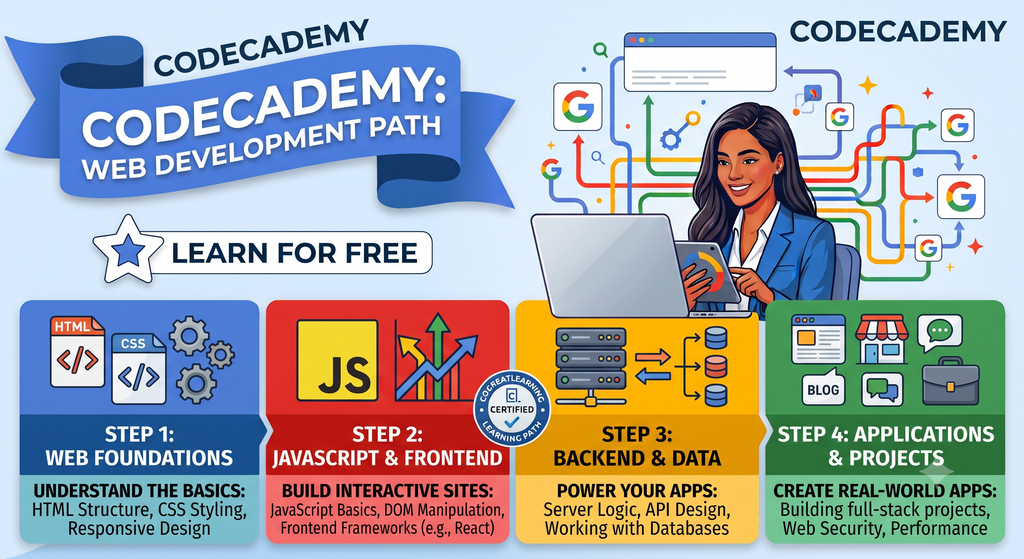
Master front-end, back-end, and full-stack web development step-by-step for free on Codecademy today.
Coursera
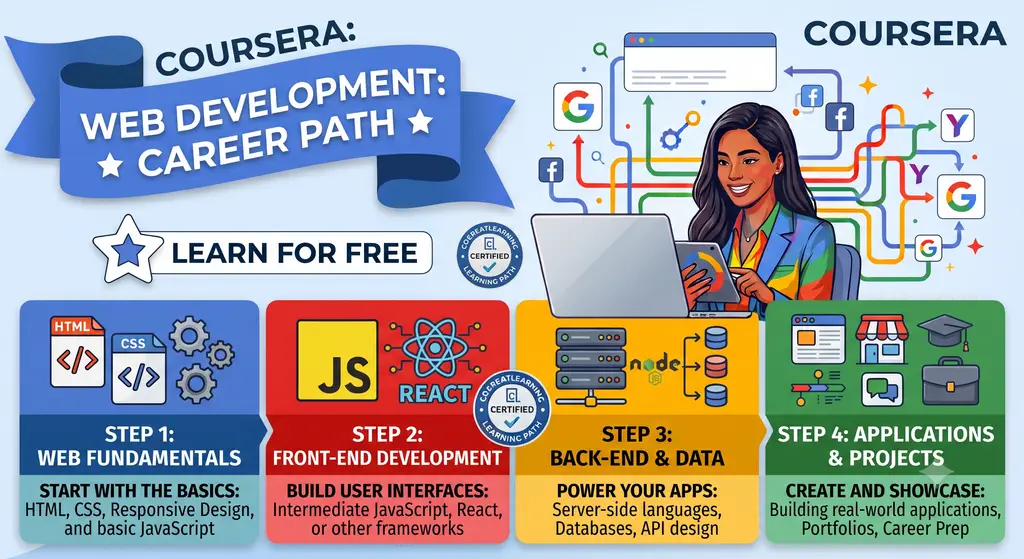
Master Coursera’s free web development career path, covering front-end, back-end, and real-world project creation.
A Simple Tip
Don’t collect 20 different courses and complete none of them.
Choose one resource.
Learn the basics.
Practice.
Build something.
Then move to the next topic.
This approach is much more effective than continuously searching for new courses.
3. Follow Website Development Free Classes on Instagram
Instagram is another platform where beginners can discover free website-development tutorials and educational content.
Many creators share short tutorials, tips, demonstrations, and practical website-building ideas through Reels and other educational content.
You can find content related to:
- WordPress
- Elementor
- Website design
- Shopify
- E-commerce websites
- Website customization
- Website-building tips
- Freelancing
- Digital skills
Here are some Instagram resources you can explore:
WordPress / Website Development Resources
Shopify Instagram Resources
A Small Warning
Don’t choose a trainer simply because they have a large number of followers.
Look for content that demonstrates actual practical knowledge.
For example:
- Building a WordPress website
- Creating pages with Elementor
- Customizing WordPress websites
- Creating Shopify stores
- Designing product pages
- Creating responsive websites
- Solving website problems
- Demonstrating real projects
The goal should be to learn how to build websites, not simply watch short videos.
4. Learn Shopify Through Free Online Resources
If your main goal is to learn e-commerce website development, Shopify deserves special attention.
Shopify provides a platform specifically designed for creating and managing online stores.
Instead of trying to learn everything about e-commerce at once, start with the fundamentals.
Learn how to:
- Create a Shopify store
- Choose and customize a theme
- Add products
- Create collections
- Create pages
- Build navigation
- Customize the storefront
- Understand basic store settings
- Create a professional product presentation
- Understand how an online store is structured
Shopify Academy
Shopify Academy provides learning resources designed to help people learn about Shopify and e-commerce.
Visit Shopify Academy

Enroll in Shopify Academy’s free ecommerce masterclass and scale your business in four steps.
Create an E-commerce Store With Shopify – Coursera
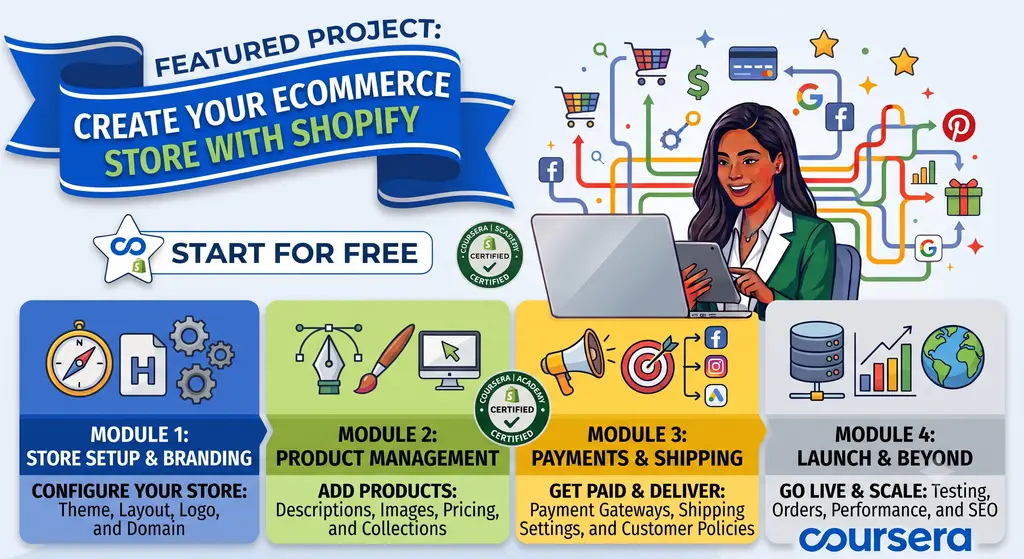
Learn to create, manage, and scale your free Shopify ecommerce store with four certified modules.
WsCube Tech Shopify Free Course
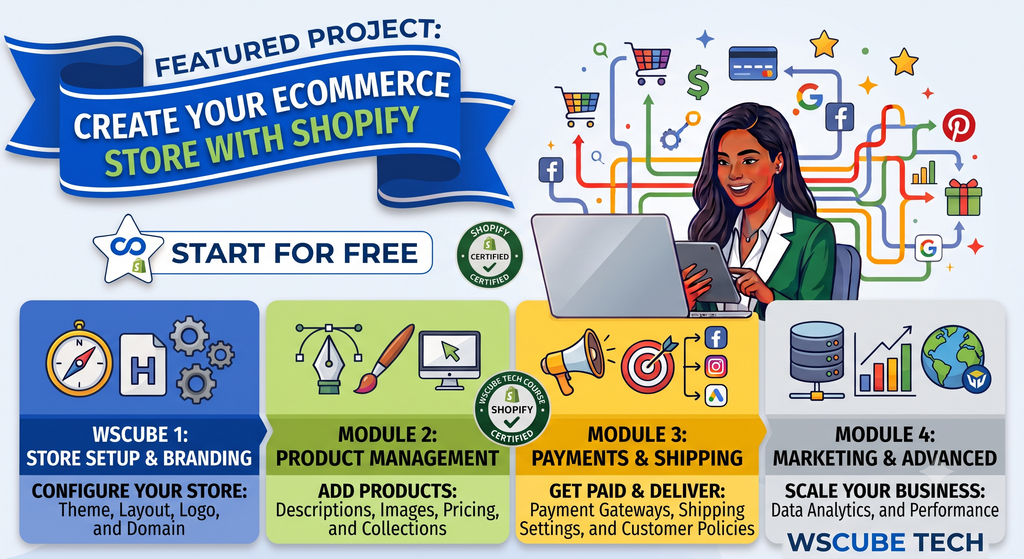
Learn to build a Shopify ecommerce store from setup to marketing with this complete course.
Why Learn Shopify?
Shopify can be particularly useful if you want to work with businesses that sell products online.
Instead of learning only how to design a website, you can develop skills around creating and managing an entire online store.
5. Learn the Basics and Then Join an Internship
Turn Free Learning Into Real Website Development Skills
This is perhaps the most important step if your goal is to turn free learning into a professional skill.
Start Working on Real Projects
You can learn WordPress and Shopify from free resources, but at some point, you need to work on real websites and real projects.
Watching a tutorial can show you how something should work. Working on a real project teaches you what to do when things don’t work as expected.
WordPress
Shopify
This Is Where Practical Learning Begins
Real projects force you to troubleshoot problems, understand how websites work and apply what you have learned instead of simply following a tutorial.
Consider a Website Development Internship
Once you understand the basics of WordPress or Shopify, consider looking for an internship.
During an internship, try to gain practical experience in areas such as:
WordPress
Shopify
What About Custom-Coded Websites?
WordPress and Shopify are excellent options for many businesses, but they are not the only way websites can be created.
Some businesses require custom-coded websites based on their specific requirements.
A custom-coded website can be designed and developed according to the exact functionality, design, features, integrations, and business requirements of the client.
However, learning custom website development generally requires considerably more time and consistent practice.
Unlike WordPress or Shopify, where many website-building tasks can be completed using an established platform, custom development can require a deeper understanding of programming and web technologies.
You may eventually need to understand areas such as:
- Website architecture
- Front-end development
- Back-end development
- Databases
- APIs
- Authentication
- Custom functionality
- Server-side development
- Website security
- Testing
- Deployment
- Maintenance
Therefore, if you are a complete beginner and your immediate goal is to start creating websites, WordPress can provide a more accessible starting point.
Once you have developed confidence in website creation, you can decide whether you want to spend additional time learning custom development.
Remember
WordPress and Shopify can help you start building websites faster.
Custom development requires deeper technical knowledge, more time, and significantly more practice.
Choose the learning path according to your career goal.
Can You Learn Website Development for Free?
Yes, you can start learning website development for free.
You can use:
YouTube → Free Courses → Online Resources → Instagram → Practice → Internship
For WordPress, start with:
WordPress → Elementor → Website Projects → Practical Experience
For Shopify, start with:
Shopify → Store Setup → Theme Customization → Product Setup → Store Projects
These resources can help you build a strong foundation without immediately spending money on an expensive course.
However, free learning alone does not guarantee professional-level skills.
You need to practice.
Roadmap for Beginners
If you are starting from zero, here is a simple roadmap to learn WordPress or Shopify and gradually build practical website development skills.
Learn WordPress or Shopify Fundamentals
Don’t try to learn both platforms simultaneously from day one. Choose one platform and build a strong foundation.
If you choose WordPress:
If you choose Shopify:
Start Building Websites
This is where you should stop watching tutorials all day and start creating.
WordPress Practice
Shopify Practice
Don’t worry about making your first website perfect. Your first goal is to finish it. Then build another one.
Build a Portfolio and Get Practical Experience
Once you have created a few websites, start building a portfolio that demonstrates what you can actually build.
Your Portfolio Can Include:
Then Start Looking For:
How Long Does It Take to Learn WordPress and Shopify?
There is no fixed timeline.
You can understand the basics of WordPress or Shopify within a few weeks if you study consistently.
With regular practice, you can become comfortable with basic website creation within a few months.
However, becoming highly skilled takes longer.
You need to work on different types of websites, different designs, different client requirements, responsive layouts, e-commerce stores, website problems, and real-world projects.
The key is consistency.
Learn → Build → Make Mistakes → Fix → Improve → Build Again.
Can You Get a Job After Website Development Learning for Free?
Yes, but simply completing free courses is usually not enough.
Companies and clients want people who can actually build and manage websites.
That’s why practical experience matters.
Instead of only showing certificates, build a portfolio that demonstrates what you can do.
For example, you can show:
- A WordPress business website
- An Elementor landing page
- A service website
- A WordPress e-commerce website
- A Shopify store
- A customized Shopify product page
- Responsive website designs
- Real projects completed during an internship
Your portfolio becomes proof of your skills.
WordPress vs Shopify: Which One Should Beginners Learn?
Both are useful, but they serve slightly different purposes.
| Requirement | Recommended Platform |
|---|---|
| Service website | WordPress |
| Business website | WordPress |
| Portfolio website | WordPress |
| Blog | WordPress |
| Flexible website | WordPress |
| WordPress e-commerce | WordPress + WooCommerce |
| Dedicated online store | Shopify |
| Product-based business | Shopify |
| E-commerce-focused business | Shopify |
If you want to become a general website developer for businesses, start with WordPress.
If you want to specialize in e-commerce website development, learn Shopify.
And if you want broader opportunities, you can eventually learn both.
Frequently Asked Questions
Yes. You can start learning website development for free through YouTube tutorials, free online courses, websites, Instagram resources and practical projects. For beginners, WordPress and Shopify are accessible starting points. The important step is to combine learning with hands-on practice by actually building websites rather than only watching tutorials.
A practical learning path is learn → practise → build → improve → get experience. Start with one platform, such as WordPress or Shopify, use free tutorials and courses to understand the fundamentals, then build real websites. After creating several projects, develop a portfolio and look for an internship or practical opportunity.
Choose WordPress if you want to build business websites, service websites, blogs, portfolios, landing pages or flexible websites. Choose Shopify if your main goal is creating and managing e-commerce stores. Beginners should start with one platform rather than trying to learn both simultaneously, and can add the second platform later.
Yes. You can build many WordPress websites without advanced coding knowledge by using themes, plugins and visual tools such as Elementor. However, learning basic PHP and understanding how WordPress themes and plugins work can become valuable when you move into advanced customization, troubleshooting and more technical website development.
Yes. You can start learning Shopify without advanced programming knowledge. Beginners can learn store setup, themes, products, collections, navigation, pages and storefront customization through practical exercises. As you progress toward advanced Shopify customization and more complex requirements, developing deeper technical knowledge can become useful.
There is no fixed learning timeline. With consistent study, you can understand the basics of WordPress or Shopify within a few weeks and become comfortable creating basic websites within a few months. Becoming highly skilled takes longer because it requires different projects, responsive design, e-commerce work and real-world problem-solving.
Start by building projects that demonstrate different website- building skills. WordPress learners can create business, service, portfolio and e-commerce websites, while Shopify learners can build sample stores, product pages, collection pages and customized storefronts. These projects can later become part of your portfolio and demonstrate what you can actually build.
Yes, but completing free courses alone does not guarantee a job. Build several websites, create a portfolio and gain practical experience through internships, freelance projects, local businesses or agency work. Your portfolio should demonstrate real skills such as responsive design, WordPress or Shopify customization, e-commerce development and website problem-solving.
Want to Learn Advanced WordPress and Shopify Development in Rohini, Delhi?
Free resources are a great way to start learning Website Development for Free.
But if you want structured learning, practical guidance and advanced training, professional training can help you move beyond basic tutorials and work on real marketing strategies and campaigns.
If you’re based in Rohini, Pitampura, Delhi or Delhi NCR, you can visit Performdigi Monetize Pvt. Ltd. or visit our website to know more about Website Development for Free and digital marketing training.
Whether you choose WordPress or Shopify, you can Learn Website Development For Free by following the steps in this guide.
Final Thoughts
You don’t need a huge budget to start learning website development.
Start with free resources.
Watch WordPress and Shopify YouTube tutorials → Complete free online resources → Follow useful Instagram content → Build websites → Create a portfolio → Join an internship
If your goal is to create business and service websites, start with WordPress.
If your goal is to create e-commerce stores, learn Shopify.
And if you want to become a more advanced developer in the future, you can gradually explore custom development after building a strong foundation.
Most importantly, don’t spend all your time watching tutorials.
Build websites.
Your first website may not be perfect.
Your second will be better.
Your tenth will be much better.
That’s how you develop real website-building skills.
Remember:
You don’t become a website developer by only watching tutorials. You become a website developer by building websites.
Start learning today.
Keep Learning: More Free Digital Marketing Skill Guides
You now know how to Learn Website Development For Free, but it works best as part of a complete digital marketing skill set. If you want to keep building your career, explore these free guides too: